Configurators · augmented reality · training games

On screen first,
then on site.

We turn your product into a 3D configurator where the buyer builds it themselves, augmented reality that puts it in their yard at full size, and a training game where the installer makes mistakes on screen instead of on site. All from one model — the same one your drawings and cutting lists come from.

Runs in the browser No app to install Built from your SketchUp or CAD
13 modelsin one sauna configurator
95 stepsin the roof installation training game
1:1AR on the phone, no app
1 business dayto reply to your enquiry
013D configurator

The buyer buildsit themselves.

Models, walls, benches — real geometry, live in the browser.

02Assembly animation

Part by part,in the right order.

The same order as the real installation.

03Installation animation

Every layer,every batten.

A roof package from underlay to solar tiles.

04Training game

Mistakes on screen,not on site.

95 steps, training videos and a final test — in the browser.

Interactive

The same model.
Now in the customer's hands.

Once the model exists, it doesn't have to stay on your computer. The customer builds the product, turns it from every side and places it in their yard with a phone. All in the browser — nothing to install. Try it below.

3D product configurator

The customer builds
the product.

Model, walls, benches, heater, finishes and extras — every choice swaps real geometry, not a picture. The buyer sees exactly what they are ordering, and the enquiry that reaches you already has the combination in it.

Read more

Why not just photos?

Every new option multiplies the number of images: 13 models × 2 front walls × 2 back walls × benches × heaters is hundreds of combinations nobody will ever photograph. A configurator only adds — each part is modelled once and the combinations assemble themselves.

How it reaches your website

The configurator is a Unity WebGL app that runs in an ordinary browser on desktop and mobile. It goes onto your site with one embed line (WordPress, Shopify, Wix or a custom site) or lives at its own address. Colours, font and logo are yours.

What we need from you

An existing 3D model (SketchUp, FBX, STEP, IFC) or drawings, the list of options, and photos of the materials. No model yet? We build it from the drawings.

  • 13 sauna models, 7 steps: model, front wall, back wall, benches, heater, finish, extras
  • A summary of the choices goes with the enquiry
  • Open door, interior view, LED light and a photo to save
  • English and Estonian, more languages from a translation table
Ask for demo access →
The configurator on a phone: a sauna with a timber front wall, front wall options below
The real interface · desktop and phone · Unity WebGL
Turn and zoom Modular pavilion 3×4 m · 1.0 MB
3D product viewer

A rotating product right on the product page.

The customer turns it with a mouse or a finger, zooms in on a detail and looks at it from below. One file that works everywhere — no plugins, no apps.

Read more

The whole building including its glass wall is 1.0 MB and opens in seconds, even on mobile data. The viewer drops into an existing product page with one line of code and uses the same geometry the drawings and cutting lists come from — when the product changes, one model is updated, not three different sets of material.

See it in your yard 1:1 scale · Android and iPhone
AR — augmented reality

See it in your yard before you order.

The buyer taps a button on their phone and points the camera at their yard. The product stands there at full size — they can walk around it and see whether it fits.

Try it on your phone Scan with the camera — the page opens on your phone and the AR button appears.

The AR button appears on phones. On a computer you can turn the model, but there is no camera.

Read more

No app is needed: on Android the model opens in Google Scene Viewer, on iPhone in Apple AR Quick Look — both are already on the phone. Scale is locked at 1:1, so the buyer can't accidentally pinch the product smaller. Especially useful for garden rooms, saunas, shelters and play equipment, where the biggest question is "will it fit in our yard?".

Animation & training

Show how it
goes together.

The same 3D model set in motion: an assembly animation for sales and the manual, and a training game where the installer learns before reaching the site.

Animation
Assembly animation

Part by part, in the right order.

The product comes apart on screen and goes back together in the same order as the real installation. The clearest way to show how it works — without anyone having to learn to read a drawing.

Read more

An exploded view where every part carries its number; close-ups of joints and fasteners; the assembly order exactly as in the installation manual. Files for the product page, social media, trade-show screens and in-house training. The clip above: the Camilla sauna at 12× speed.

Training game
Training game

The installer learns before reaching the site.

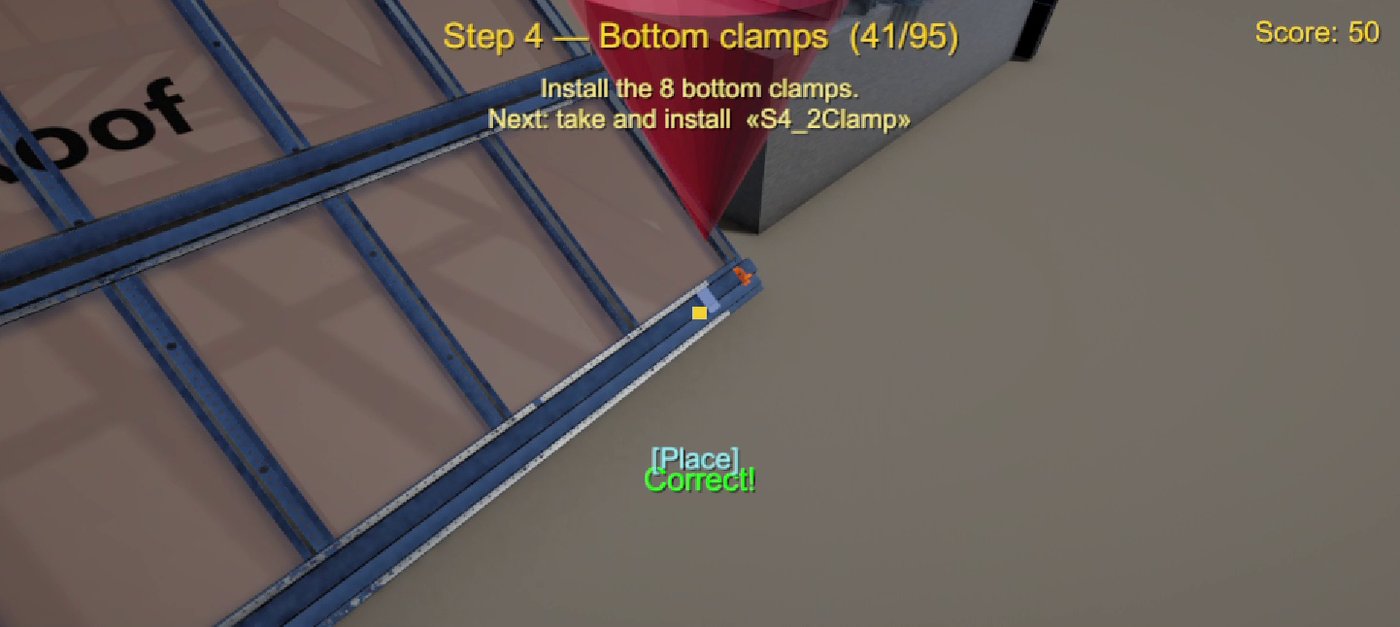
The user picks up parts, places them in the right spot in the right order, and gets feedback the moment a step goes wrong. The roof installation training is finished and playable.

Read more

95 steps: safety gear, vent profiles, battens, clips and panels. A short training video opens before each new task, and it ends with a measuring exercise and a 10-question test. It runs in the browser, so a dealer or a crew gets a link and starts right away. Built for manufacturers whose product is installed by someone else: roofing, façade, window and modular-building makers.

Try the training game →
Who it's for

For manufacturers whose product
comes in many variants.

Joonisekoda (VISIONFRAME3D OÜ, Elva, Estonia) builds 3D configurators, AR and training games for manufacturers. If your buyer has to choose a size, a material and extras, and asks whether it will fit in their yard, a 3D model helps more than photos. If someone else installs your product, a training game helps.

SAUNA

Sauna makers

A configurator with models, walls, benches, heater and finishes; AR so the buyer sees the sauna in their own yard; an assembly animation for the product page.

GRDN

Garden rooms, sheds and pavilions

AR at 1:1 scale answers "will it fit?"; a 3D viewer shows the product from every side.

CABIN

Modular and log cabins

A configurator with variants and extras, plus production drawings, cutting lists and an installation manual from the same model.

PORT

Carports, shelters, fences and gates

A configurator for sizes and colours, AR in the buyer's yard and a step-by-step installation manual.

TRLR

Trailers and boats

A configurator for equipment and colours, and a 3D viewer the buyer can turn and zoom.

ROOF

Roofing, façade and window makers

A training game where the installer learns the steps before reaching the site, and an installation animation for dealers.

Read more

What these products have in common

They are large, often made to order, the buyer cannot touch them in a shop, and there are more variants than anyone can photograph. Before ordering, the buyer has three questions: what does it look like, will it fit, and what exactly am I ordering? A configurator answers the first and the last, and AR answers the second.

When someone else installs your product

Roofing, façade, window and modular-building makers often share the same problem: the product is good, but the installer gets part of it wrong, and the manufacturer is held responsible. A training game is a link that a dealer or a crew opens in the browser. They go through the steps in the right order and get feedback on every mistake straight away.

If your product isn't listed

If the product has a 3D model or drawings, and the buyer has to choose between variants, it probably fits. Send us a link to the product page and we'll tell you honestly whether it would help.

01

Fewer "will it fit?" questions

The buyer places the product in their yard at full size with a phone and sees the answer before writing to you.

02

Enquiries arrive with the specification

The configurator summary comes with the enquiry: model, walls, finishes and extras. Sales no longer have to ask for them.

03

Installers trained before the site

In the training game, the installer makes mistakes on screen. They reach the site already knowing the order of the work.

04

One model, not ten files

Drawings, cutting lists, the manual, the configurator and AR all come from the same model. When the product changes, one model is updated.

Services

One model.
Every output.

When design, sales, production, installation and training all work from different files, mistakes follow. We keep everything around one model — the same part number on the drawing, in the manual, in the configurator and in the game.

Sales & training

Interactive — for the buyer and the installer.

CONF

3D product configurator

The buyer builds the product; the enquiry arrives with the combination.

AR

Augmented reality (AR)

The product at full size in the buyer's yard or room, no app.

360

3D product viewer

A rotating, zoomable product on the product page — one line of code.

GAME

Training game

The installer assembles the product virtually before the real job.

▶

Product & assembly animation

For sales, the product page, the manual and in-house training.

Production & installation

Technical documentation from the same model.

3D

3D modelling

A detailed model of the structure and joints — problems surface before cutting.

CUT

Production drawings & cutting lists

Assembly drawings, parts list (BOM) and saw-line lists.

→

Installation manuals

Step by step: parts, positions, connections and fasteners; safety zone plan.

✓

Documentation audit

Checking existing projects and bringing them into one production logic.

How it works — three steps.

01

Brief

You send a model, drawings or photos and the list of options. We agree what makes sense.

02

Model

We build or clean up the 3D model with your materials and finishes.

03

Outputs

Configurator, AR, game, animation or drawings — ready for your site or your factory.

Work

Playhouse Oliver —
the whole package.

One product from start to finish: model, assembly drawings, cutting lists, installation manual and safety zone. More work below.

42positions in the parts list
371parts to be cut
277 mof timber in total
29steps in the installation manual
Playhouse Oliver — the final installation step
Playhouse

Oliver — full package

3D model, production drawings, cutting lists, installation manual and safety zone in one logic.

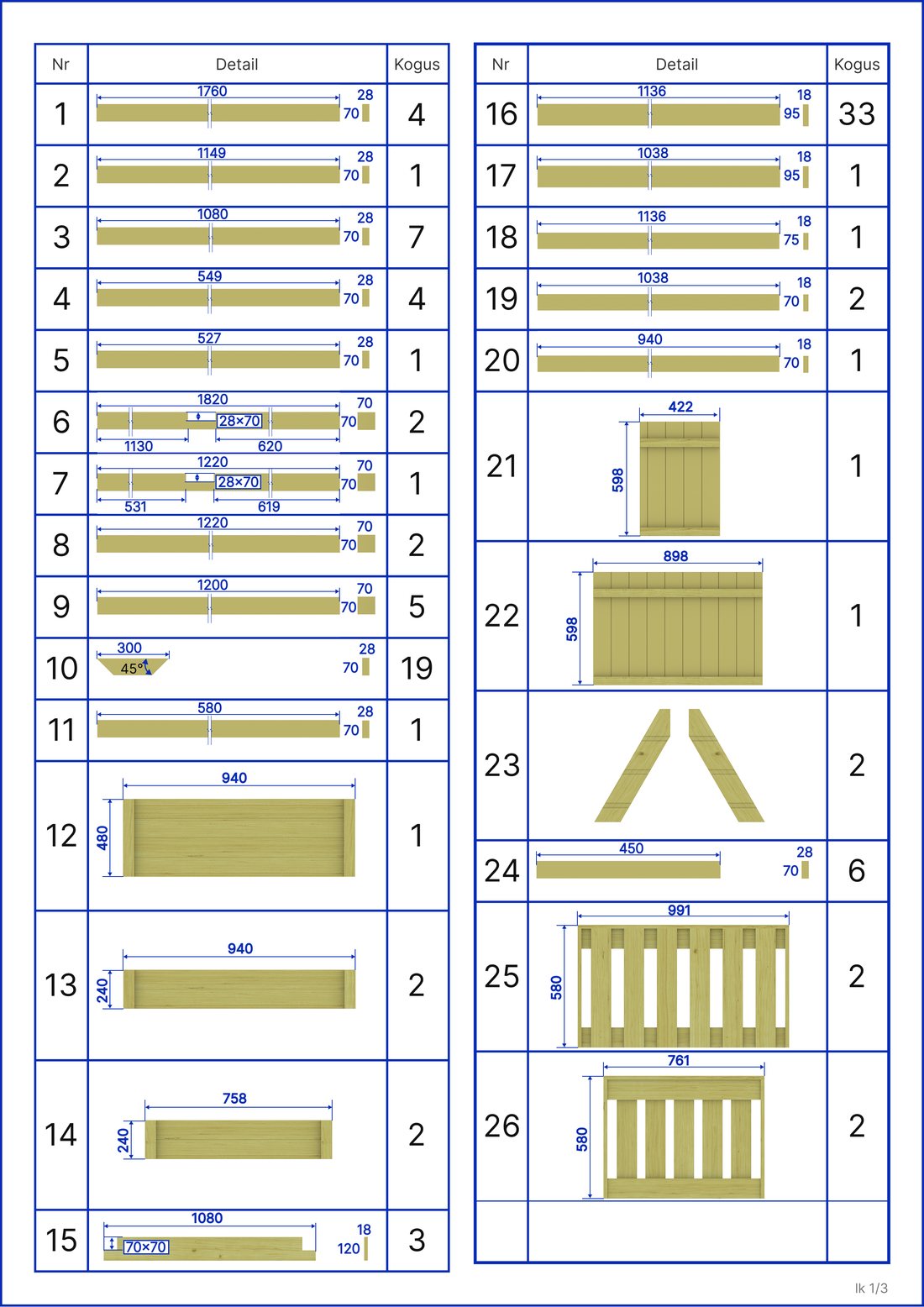
Parts list — positions 1 to 26
Parts list

All 42 positions

Every part with dimensions, quantity and a picture.

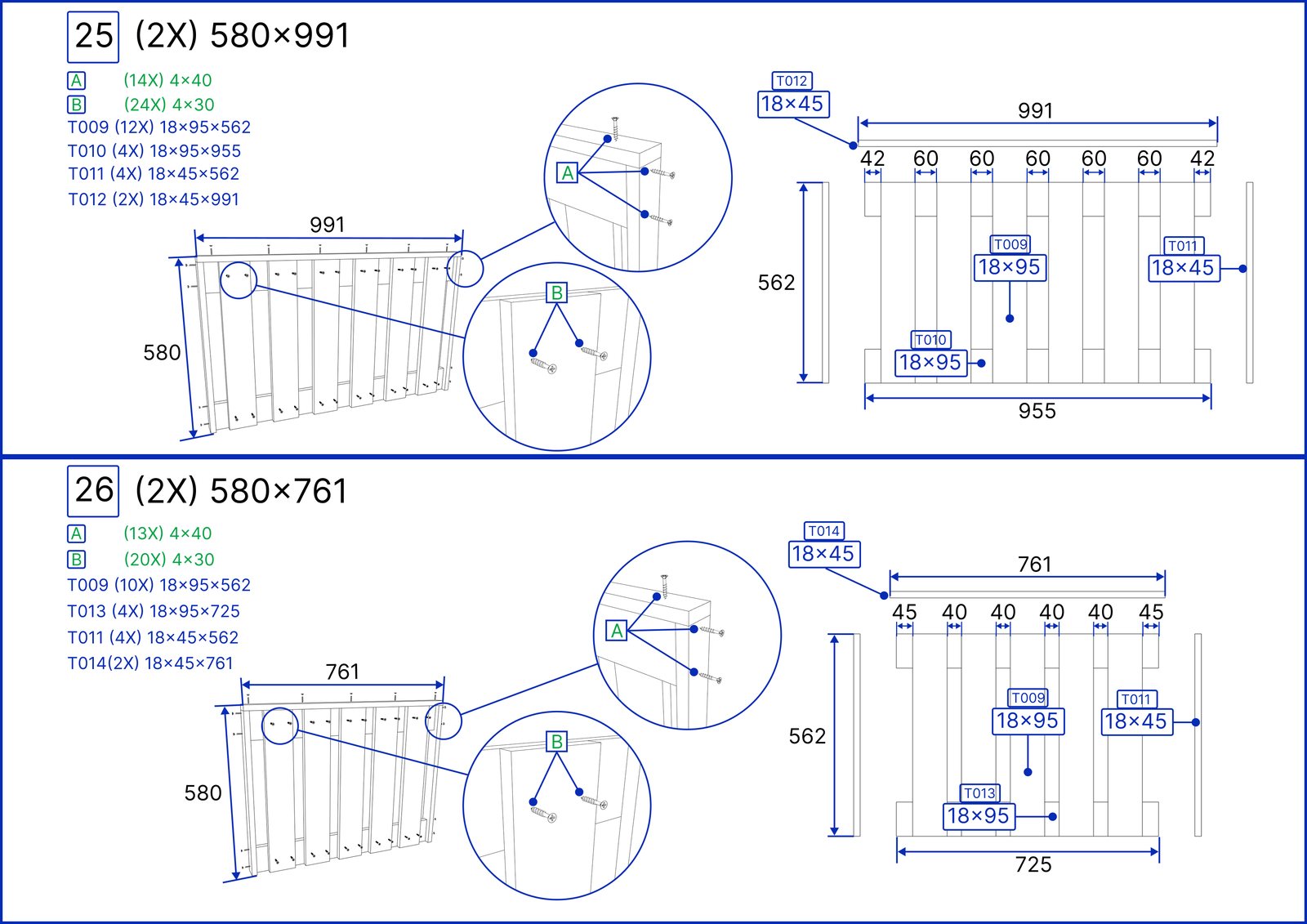
Production drawing — assemblies pos 25 and 26
Production drawing

Assembly sheets

20 sub-assemblies, every piece with its own mark.

Show all work (10 more) ↓
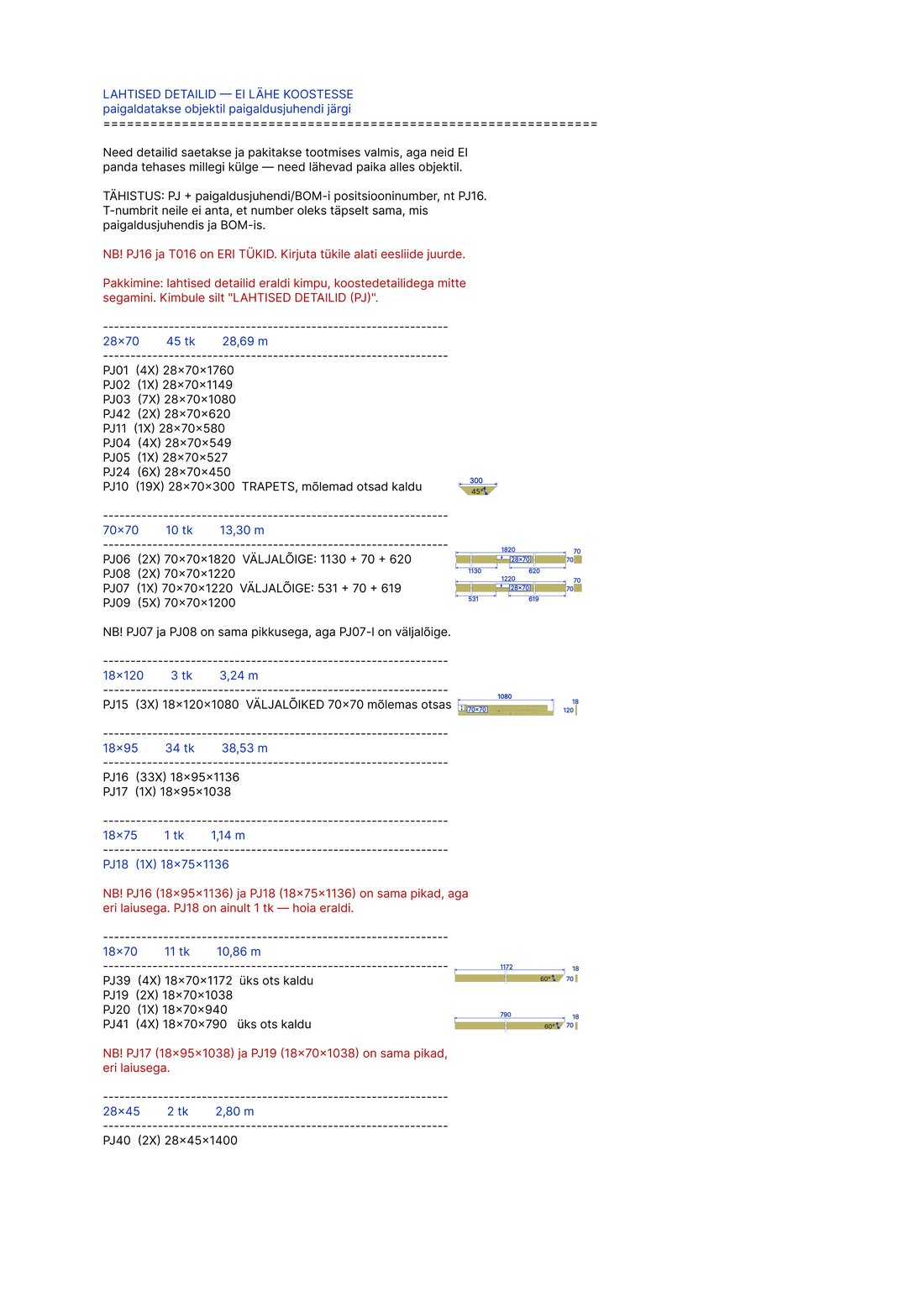
Cutting list — loose parts
Cutting list

Saw-line list

Cutting dimensions by cross-section, angles and cut-outs listed separately.

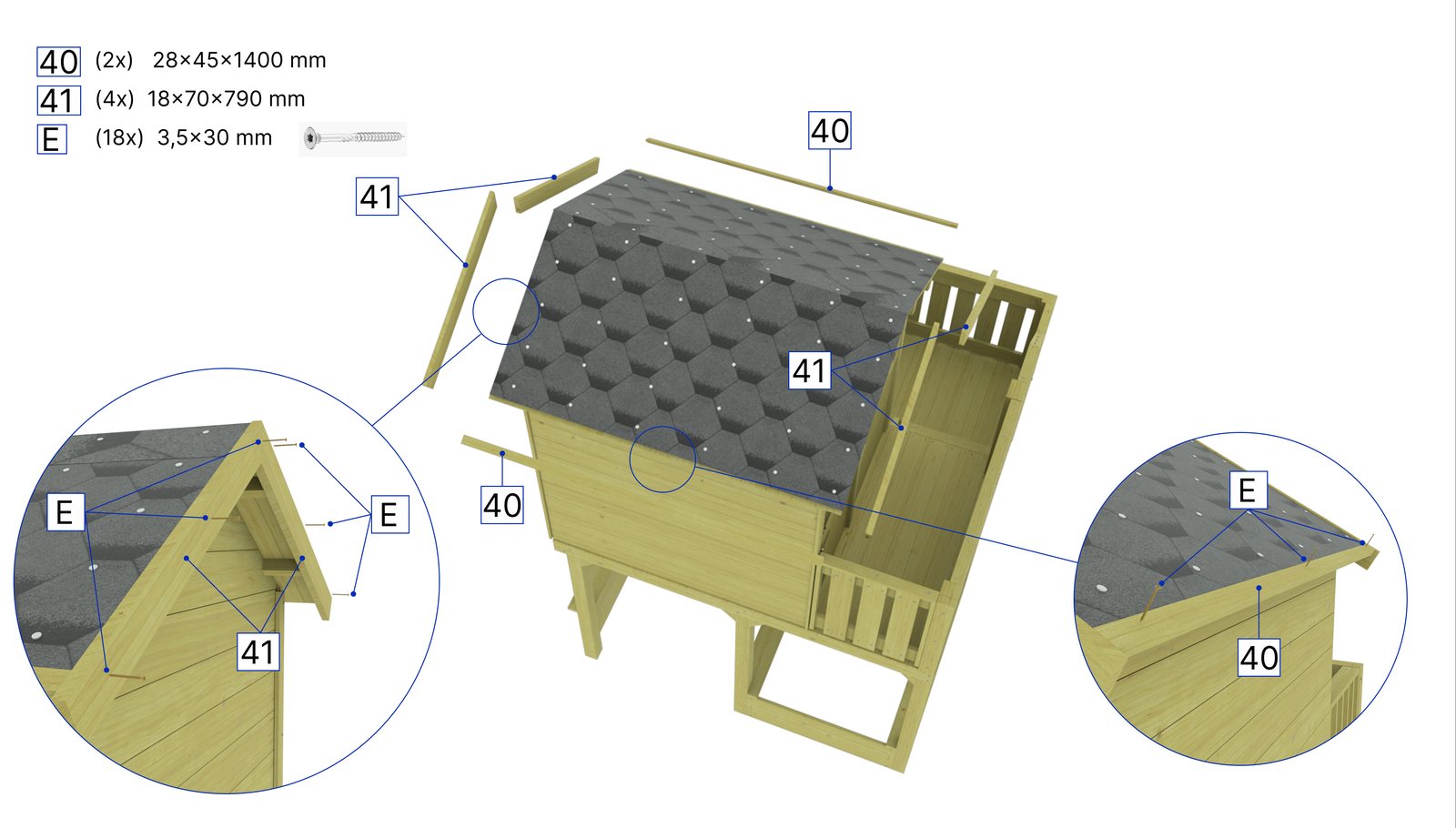
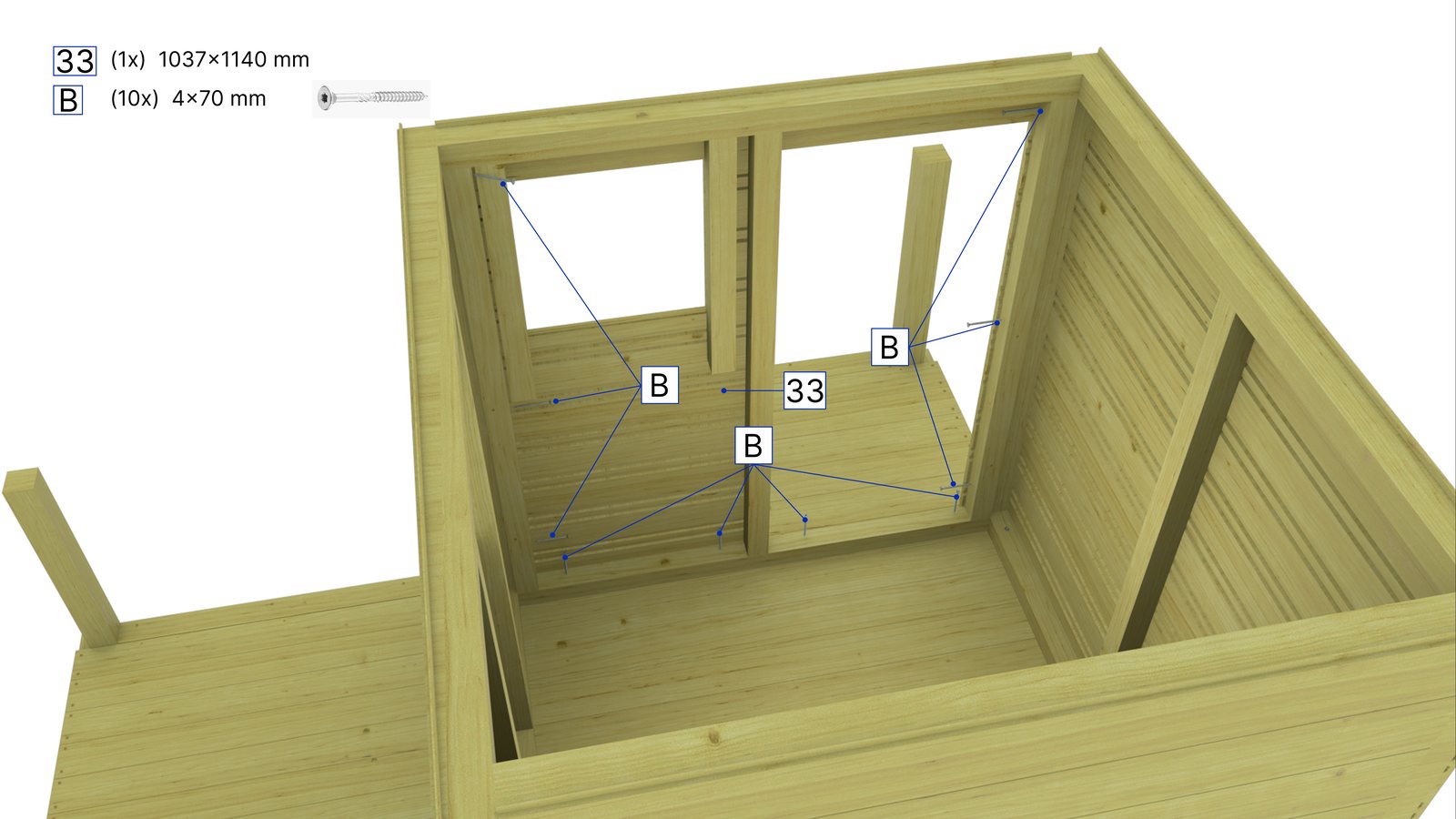
Installation manual step — installing the walls
Installation manual

29 steps

Every step with its own parts and fasteners.

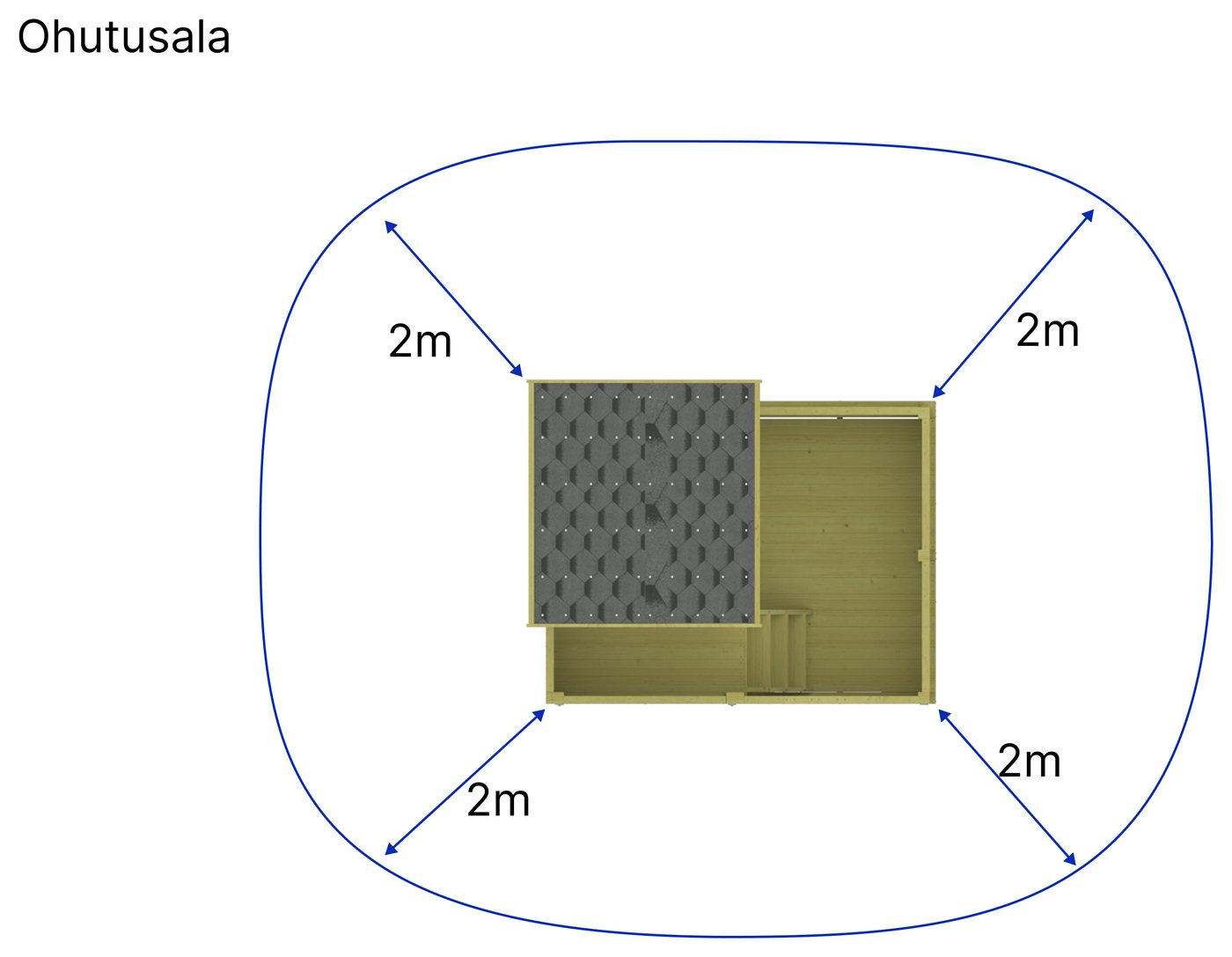
Safety zone plan
Safety

Safety zone

The clear area around the product — as a plan at the end of the manual.

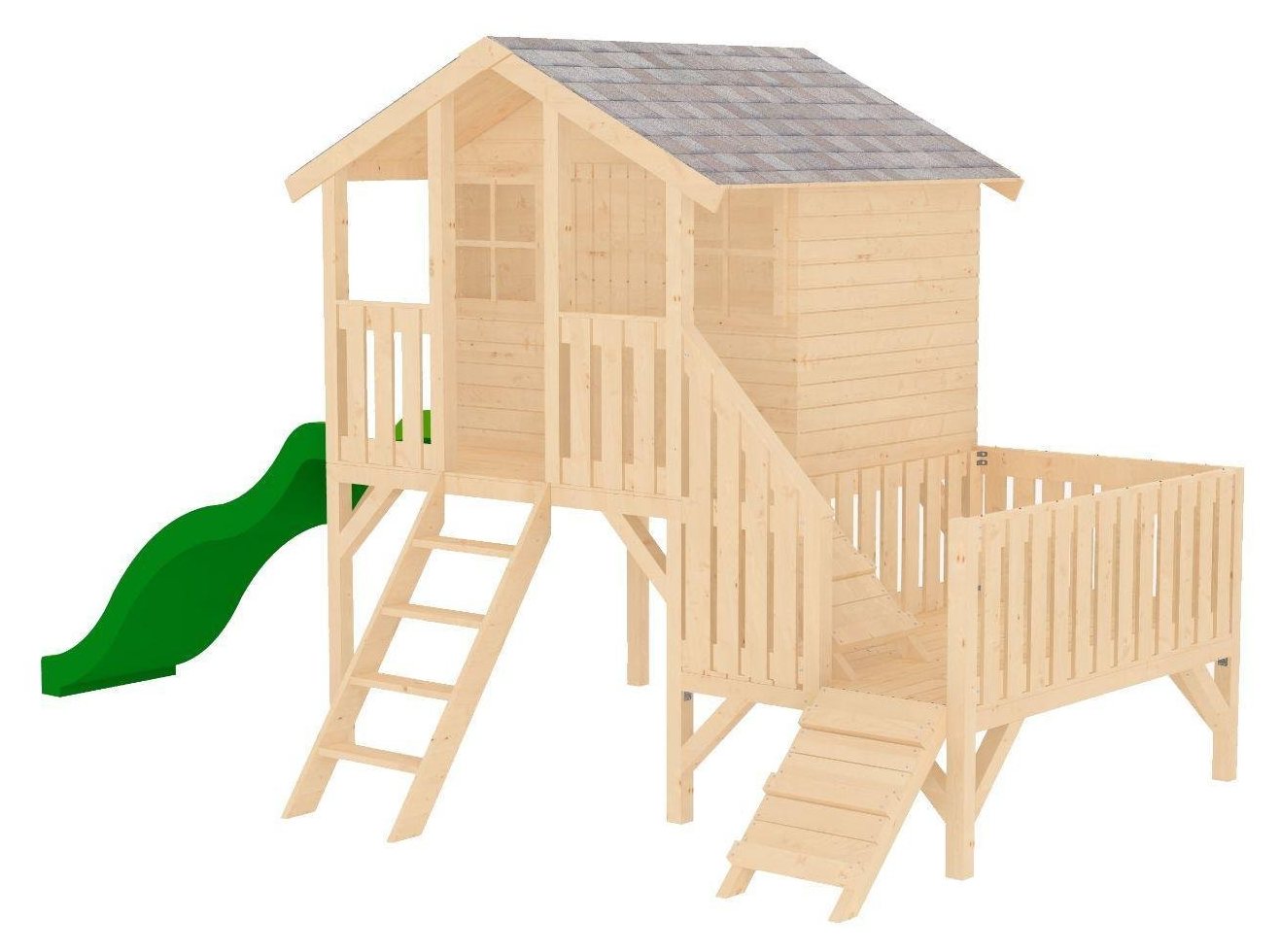
Playhouse Toby — installation manual view
Playhouse

Toby with a terrace

A 13-page installation manual.

Training game — a lesson video opens inside the game
Training game

Roof installation training

A Unity game in the browser: 95 steps, training videos, a measuring exercise and a final test.

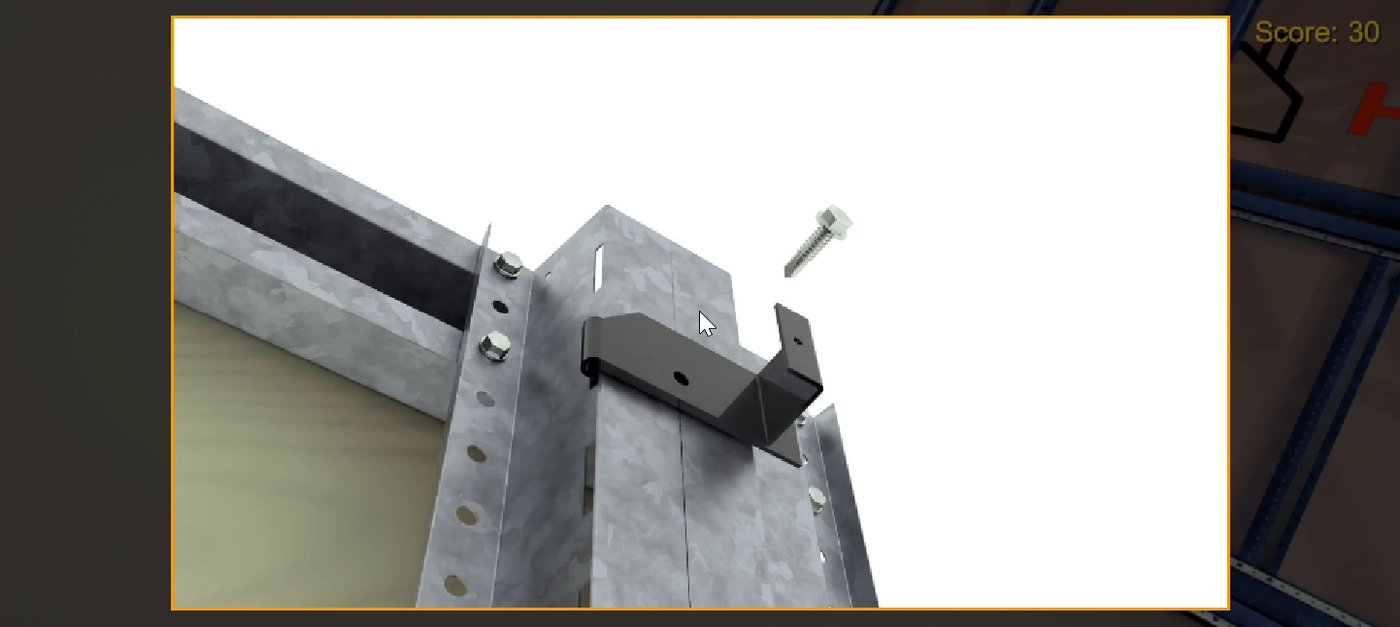
Training game feedback — a part in the right place
In-game feedback

Right or wrong, at once

Every part confirms itself as it is placed.

Pirate ship — play tower installation manual
Play tower

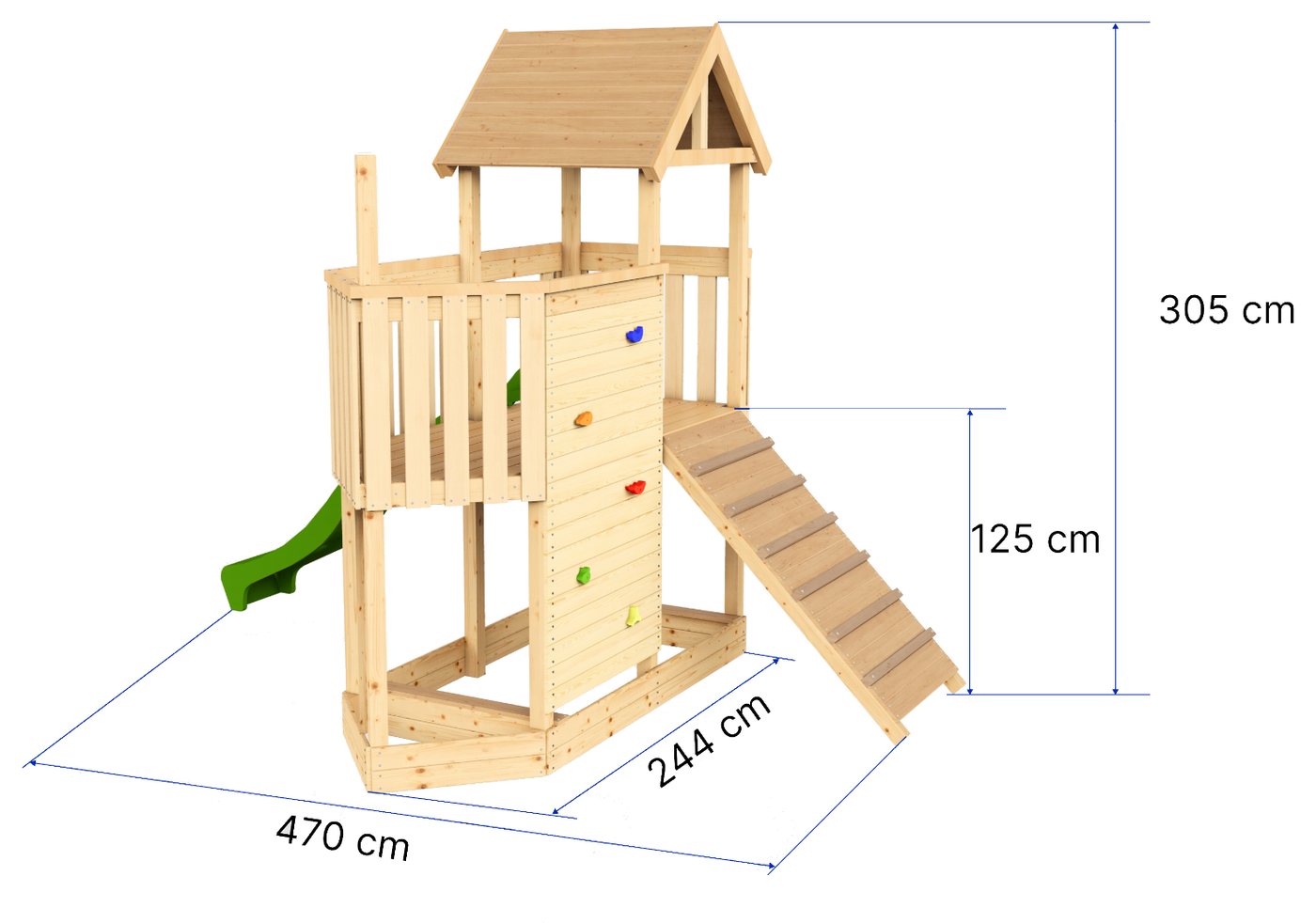
Pirate ship

Installation manual, 23 drawings, every part numbered.

Hover
Animation

Solar Full Roof

Underlay, battens and solar tiles in the right order.

Solar Carport — product render
Carport

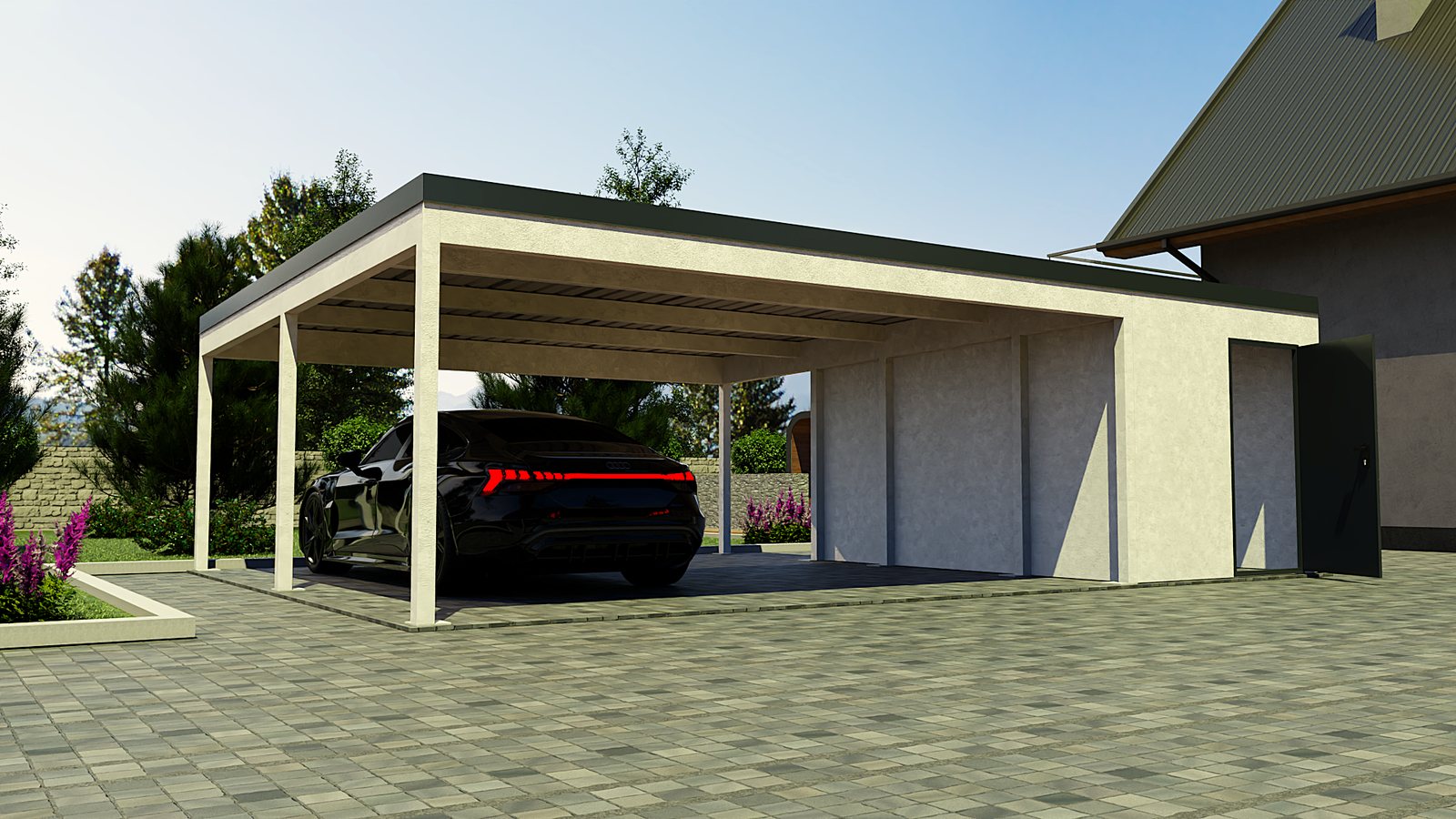
Solar Carport

A technical datasheet and a 20-page installation manual.

Exploded view of the roof package
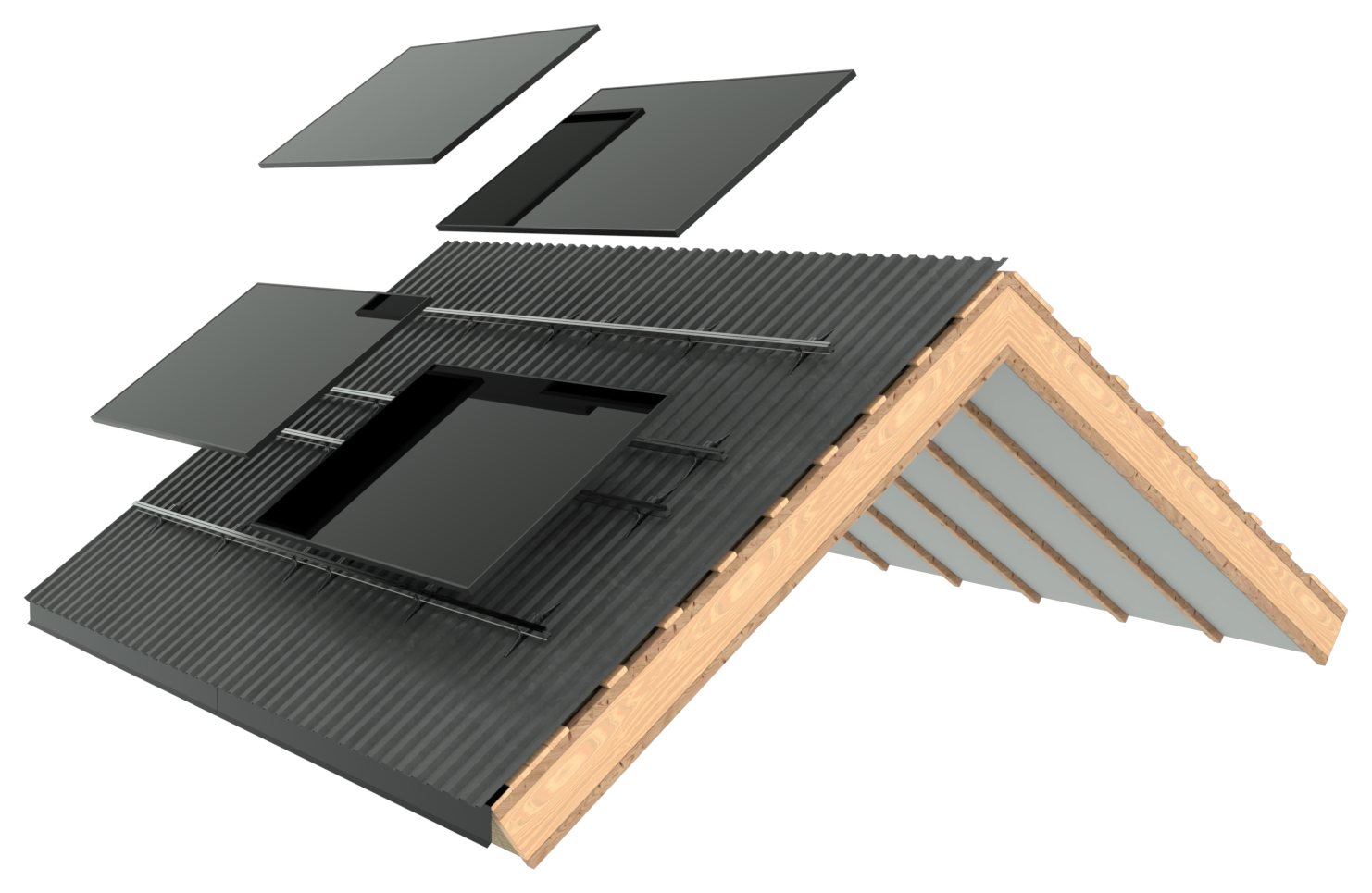
Exploded view

Roof package in layers

Every layer separately — the basis of the animation.

FAQ

Frequently asked questions

Didn't find your answer? Write or call — we reply within one business day.

What is a 3D product configurator, and who is it for?

A 3D view on the web where the buyer chooses the model, size, materials, colours and extras and sees the result from every side straight away. It suits any manufacturer whose product comes in many variants: saunas, garden rooms, modular and log cabins, sheds, shelters, carports, fences and gates, outdoor furniture, play equipment, trailers and boats.

Does the buyer need to install anything?

No. The configurator, the 3D viewer and AR all run in an ordinary browser on desktop and mobile. AR uses the viewer already built into the phone: Google Scene Viewer on Android, Apple AR Quick Look on iPhone (in Safari).

What do you need from us to start?

Ideally an existing 3D model — SketchUp, FBX, STEP, IFC, Revit or similar. Production drawings, or even photos with the main dimensions, also work. Plus the list of options (what can be changed) and images of the materials or finishes.

How long does it take?

An AR model of one product is usually ready within a week. A configurator depends on the number of models and options — we give a concrete schedule once we've seen the product. A good start is one model with all its variations; the rest of the range then slots into the same framework.

How much does it cost?

We don't have a price list, because the price depends on the product and the number of options. Send us one product (a model or a link to the product page) and tell us what you'd like — we reply the next business day with an exact figure.

We don't have a 3D model. Can we still start?

Yes. We build the model from production drawings, or from photos with the main dimensions. 3D modelling, drawings and cutting lists are our core work, so the model is built accurately enough to produce production documentation from it later.

What happens when our products change?

The change is made in the one 3D model, and the configurator, AR, drawings and manual are updated from it. A new option, such as a new finish or heater model, is added as one part and the combinations follow on their own — nothing has to be photographed or rendered again.

Can the configurator show our prices?

The configurator shows whatever data you give it: prices, product codes, lead times or a "request a quote" note, including in the summary that goes out with the enquiry. If you'd rather not show prices publicly, the summary lists only the chosen specification.

Which devices does it work on?

The configurator and the 3D viewer run in an ordinary browser on desktop, tablet and phone. AR needs a phone: on Android, Chrome and the "Google Play Services for AR" app; on iPhone, Safari and an iPhone 6s or newer. On a computer you can turn and zoom the model, but not use AR, because there is no camera.

Will it work on our existing website?

Yes. The configurator and the 3D viewer go onto your page with one embed line, whether the site runs on WordPress, Shopify, Wix or anything else. The configurator can also live at its own address, such as configurator.yourcompany.com.

How do configurator enquiries reach us?

The last step of the configurator is a summary of the chosen model and every option. From there the enquiry goes by email or into your existing form or CRM — the salesperson sees at once exactly what is being asked for.

Do you also make production drawings and installation manuals?

Yes — that is where we started. Assembly drawings, parts lists, cutting lists, the installation manual and the safety zone plan all come from the same 3D model. Once the model exists, the configurator, AR and training game are a continuation of the same work.

Where are you based, and which languages do you work in?

We are based in Elva, Estonia (VISIONFRAME3D OÜ, registry code 17123646). We work in English and Estonian, remotely across Europe — the Baltics, the Nordics and the UK. The configurator interface can be in several languages.

Send one link.
We'll ask the rest.

You don't need a model, a drawing or a brief. A link to the product page and one sentence about what you have in mind is enough. We reply the next business day and tell you what that product could become:

  • a configurator with all its variations
  • an AR model for the product page, so the buyer sees it in their yard
  • a training game, an assembly animation or drawings from the same model

Not sure it's right for you yet? Write anyway — "it won't pay off for you" is an answer too.

We reply within one business day. No long description needed — we'll ask. If you already have a 3D model, mention the format (SketchUp, FBX, STEP or something else).